
Build with blocks, print at home
-

You start on the square
A park with trees, flowers and fountains. In the pavilion, doors lead to the print shop, minigames and Skyblock.
/plac always brings you back here.
-

Residents walk around the square
Kasia, Marek and Tomek live on the square and walk their own routes. Stand next to one and they will speak up.
After dark they take out torches.
-

You get your own plot
Your own plot, 32×32×32 colored blocks, and nobody else touches it. You take it in the game by typing /p auto — and it stays yours.
/p auto — you get your own plot.
-

3D print shop
Pick a model at a bay and watch the head print it layer by layer. The town buys your prints, and the file for printing you download here, on the website — then you print the build at home.
/drukarnia takes you there, /eksport turns the build into a 3D model for the printer.
-

Eleven minigames
Arenas hang above the plots: a maze, parkour, deathrun, a tower, falling blocks and a bouncing floor. A match starts as soon as a queue gathers.
/gry opens the game menu.
-

Night falls over the square
The game has its own day and night cycle. After dark the windows of the pavilion light up and the residents of the square take out torches.
In the morning the sun comes back and the square fills with people again.
Start with an account — one nick and one password work both here and in the game.
Exhibition
What the players have built on their plots. Models of those who were in the game most recently come first; one player takes at most two tiles.
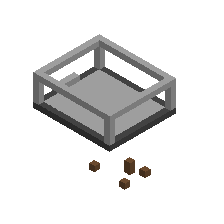
Działka nr 19
wydminy · 12 October 2026
271 blocks · 23×6×18 kostek
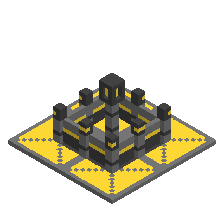
Golden Castle
dibesfer · 23 September 2026
1700 blocks · 32×17×32 kostek
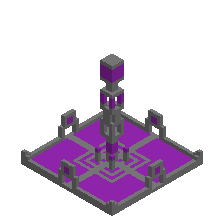
Purple Tower
dibesfer · 12 September 2026
1504 blocks · 32×32×32 kostek
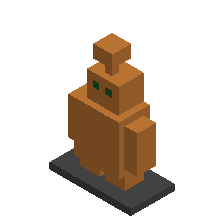
Copper Golem
catbro · 8 October 2026
435 blocks · 13×19×7 kostek
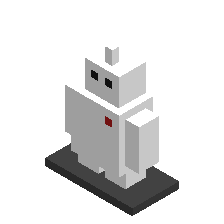
Baymax
catbro · 8 October 2026
379 blocks · 13×17×7 kostek
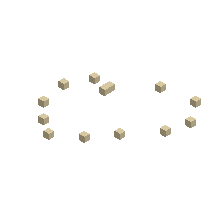
Działka nr 1
skenderbeu · 3 September 2026
13 blocks · 20×1×21 kostek
Log in, to download these models as STL for printing or GLB with colors.
How to join
-
Get into the game
Install the game Luanti — it is free and runs on Windows, Linux, Android and macOS. In the game pick “Join Game”, address beginner3d.duckdns.org, port 30000. Log in with the same nick and password as on the website — or come in as a guest and set a password in the game (Esc → Change password) so you keep your plot.
-
Take a plot for yourself
In the chat type /p auto — you get a piece of the world for yourself: 32 × 32 × 32 blocks where nobody gets in your way. /dzialka takes you to your plot from anywhere, and /plac goes back to the spawn area. /p prints the list of all commands in the chat. Need more room? /dzialka nowa gives you another plot next door — four in total with a website account, two without it — and /dzialka polacz tak joins two plots that touch into one big one.
-
Build something and print it
Put up a house, a castle or whatever you like. When you are done, type /eksport — the build turns into a 3D model and shows up on this website. You download it as STL for a 3D printer or GLB with colors. No account yet? The model waits for you for 7 days — an account with the same nick is enough.